

×
If you use Responsive Gallery , please post a rating and a review at the Joomla! Extensions Directory.
Problem with the Responsive eXtro jQuery Gallery
- jzcreations
-
 Topic Author
- Offline
Less
More
- Posts: 3
12 years 10 months ago #555
by jzcreations
Problem with the Responsive eXtro jQuery Gallery was created by jzcreations
How can I get multiple galleries on a page like on your demo site.
And how do I get the text at the top of the page
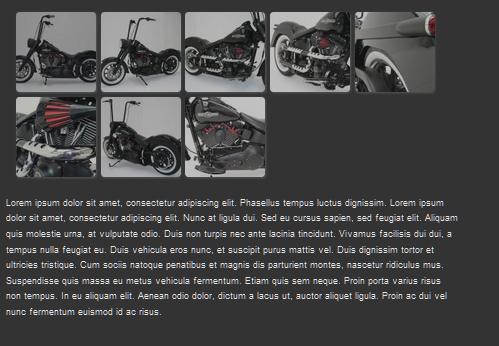
And how do I get the text at the top of the page
Please Log in or Create an account to join the conversation.
12 years 10 months ago #556
by Caro
If you think our extensions are worth 5 stars, feel free to write a review in the JED .
Thanks a lot
Replied by Caro on topic Problem with the Responsive eXtro jQuery Gallery
Hello jzcreations,
this is a native Joomla function (mod loadposition).
The Text is a normal article text.
At this link you will find how does it work.
www.extro-media.de/en/how-to-output-a-mo...-joomla-article.html
I hope my answer was helpful to you
Regards
Caro
this is a native Joomla function (mod loadposition).
The Text is a normal article text.
At this link you will find how does it work.
www.extro-media.de/en/how-to-output-a-mo...-joomla-article.html
I hope my answer was helpful to you
Regards
Caro
If you think our extensions are worth 5 stars, feel free to write a review in the JED .
Thanks a lot
Please Log in or Create an account to join the conversation.
- jzcreations
-
Topic Author
- Offline
Less
More
- Posts: 3
12 years 10 months ago #557
by jzcreations
Replied by jzcreations on topic Problem with the Responsive eXtro jQuery Gallery
Hello Caro,
The text is now above the gallery but I Don’t understand how do I get more galleries on one page like on your demo site. But I Don’t understand this part of the link from your answer:
• Save the module and switch to to your Joomla article to which you want to add the module.
• At the desired position in the article, add the tag , this tag activates the loadmodule plugin in the frontend and outputs the respective module at this place.
The plug-in (loadposition) was already active.
Regards
JZCreations
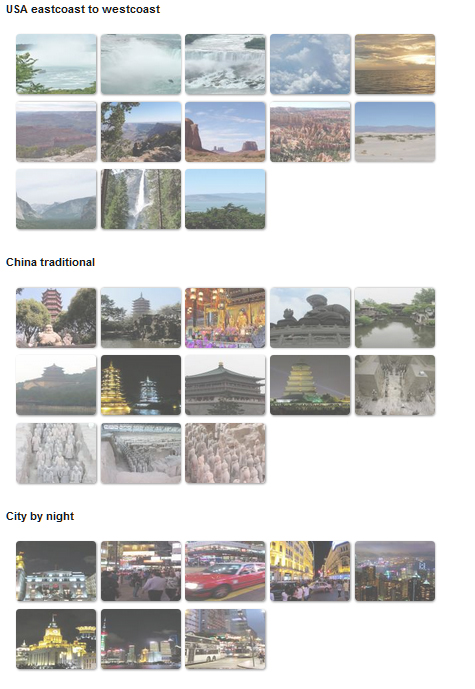
The text is now above the gallery but I Don’t understand how do I get more galleries on one page like on your demo site. But I Don’t understand this part of the link from your answer:
• Save the module and switch to to your Joomla article to which you want to add the module.
• At the desired position in the article, add the tag , this tag activates the loadmodule plugin in the frontend and outputs the respective module at this place.
The plug-in (loadposition) was already active.
Regards
JZCreations
Please Log in or Create an account to join the conversation.
12 years 10 months ago #560
by Caro
Rendering Error in layout Message/Item: array_keys(): Argument #1 ($array) must be of type array, null given. Please enable debug mode for more information.
Replied by Caro on topic Problem with the Responsive eXtro jQuery Gallery
Rendering Error in layout Message/Item: array_keys(): Argument #1 ($array) must be of type array, null given. Please enable debug mode for more information.
Please Log in or Create an account to join the conversation.
- jzcreations
-
Topic Author
- Offline
Less
More
- Posts: 3
12 years 10 months ago #561
by jzcreations
Replied by jzcreations on topic Problem with the Responsive eXtro jQuery Gallery
Hello Caro,
Which text editor do you recommend because the code of yours is not working for me
If I understand it right the code must be simply placed in the article and not in the HTML of the article?
Which text editor do you recommend because the code of yours is not working for me
If I understand it right the code must be simply placed in the article and not in the HTML of the article?
Please Log in or Create an account to join the conversation.
© 2026 by eXtro.media